Licenses
✍️ Akansha • 23 November 2026 • 13 min read
FSSAI Application Auto-Rejected After a Missed Query? What Can You Do Next?
Get Free Consultation
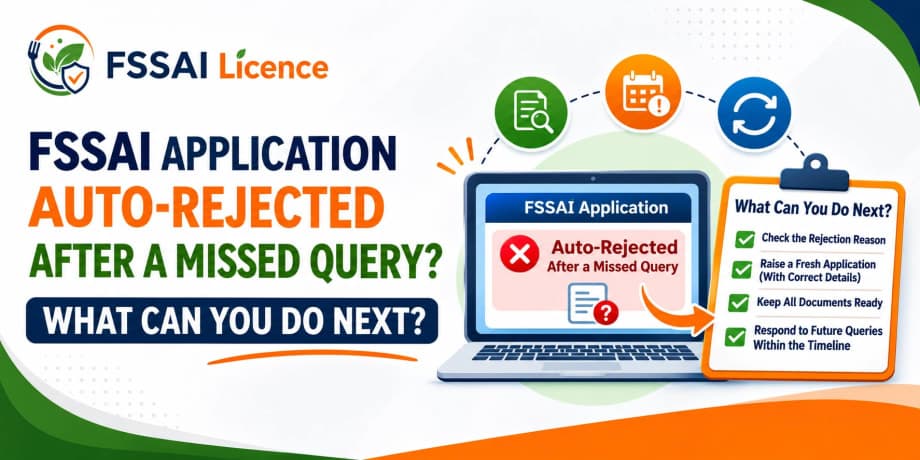
If your food licence application was auto-rejected after you missed a query, first look for a reactivation option against that application in FoSCoS. If it is available, follow the portal’s instructions; if it is not, seek guidance on the available remedy before deciding whether to submit a fresh application.
FSSAI auto rejected application reactivation can offer a way to continue an existing filing, but a restored application is not an approved licence. Your immediate job is to establish what happened to the application, what response was missed and which route the portal currently offers.
This guide separates the records you need, the filing steps and the costs you should budget for. It also explains what to do if you cannot find a self-service option, so you do not assume that a second payment or a new filing is automatically necessary.
1. FSSAI auto rejected application reactivation: who can pursue it?
1.1 Identify the decision on your application
Start with the status and the reason recorded against the application. An application that is still awaiting your reply is different from one already marked auto-rejected for non-response. An application rejected following a substantive review or inspection may require a different remedy; do not assume that a missed-query recovery route applies to every rejection.
Identify whether the application concerns food business registration or a licence.
Read the recorded status and reason, rather than relying only on an email subject line or a message from an agent.
Identify the query that was not answered and the relevant dates shown in the record.
Look for an available reactivation or other action on the particular application.
Check whether the business activity and premises described in the original filing still reflect the proposed operation.
A visible option is useful evidence of the route offered for that application, but you must still meet any conditions shown when you use it. The supplied material does not establish that all auto-rejected filings qualify, or that a self-service option remains available indefinitely.
1.2 Check the business and application category
Food businesses may need registration, a State licence or a Central licence, depending on the applicable rules and the nature and scale of the activity. A restaurant, manufacturer, trader, importer or exporter should not select a category solely because another business used it. Relevant factors can include the activity, premises and applicable eligibility criteria.
If the original category was appropriate and the business details have not changed, continuing the existing application may be useful when the portal permits it. If the activity or premises have changed materially, establish which filing accurately describes the current business before committing to a route. Reactivation does not itself change the information in the original application.
For readers searching for a food licence in general, registration and licensing are different application routes under the Food Safety and Standards framework. FoSCoS is the Food Safety Compliance System used for these applications; the correct route depends on the business rather than the informal name used for its certificate.
2. Documents and records to prepare
For an existing filing, prepare a compact record of the missed query and the response. The precise attachments requested can vary with the query and the portal action. The list below is a preparation checklist, not a claim that every item is mandatory for every request.
Application reference and status record: keep the reference number and a saved copy or screenshot of the status page so the authority or service provider can identify the filing.
Query notice and application history: retain the full text of the query and any related portal notices. These establish what was requested and provide context for the response.
Reason for non-response: prepare a short, factual explanation, with dates where known. Keep any supporting evidence available if the portal or authority asks for it.
Clarification and supporting material: prepare an answer addressing each point in the query, together with the relevant supporting files. The appropriate material depends on what the authority asked.
Original submission and payment record: retain the application copy and payment receipt or transaction record to identify what was filed and paid for. They do not by themselves establish a right to reuse the payment.
Account and contact details: have access to the FoSCoS account and the contact details associated with the filing, so the person acting can receive and review portal communications.
2.1 Material for a fresh application
If a new application becomes necessary, prepare the information and supporting documents applicable to the business and its chosen category. Registration uses Form A and a licence application uses Form B under the Food Safety and Standards (Licensing and Registration of Food Businesses) Regulations, 2011. The portal may request different supporting material according to the activity and application.
Common preparation areas include the identity of the applicant, the address and use of the premises, the food activities proposed and details relevant to the selected category. Gather only documents that support the actual filing; a manufacturer’s supporting requirements should not be assumed to be identical to those of a small retailer.
Use legible electronic copies in the file types and sizes accepted by FoSCoS for the relevant upload. Keep the originals or reliable source copies accessible. Where an existing application is restored, retain the earlier records alongside anything subsequently submitted, so the history remains traceable.
3. How to seek reactivation or make a fresh application
3.1 Prepare before submission
Allow time to read the entire application history before selecting an action. Decide who will submit the request and who can answer questions about the business. If an employee or adviser manages the account, agree who is responsible for checking messages after submission.
3.2 Submit through FoSCoS
Open the official FoSCoS portal and sign in to the account associated with the application.
Locate the application using its reference or the account’s application list.
Open the application details and inspect the recorded decision.
If an action for reactivation or restoration is displayed, read its conditions and instructions before proceeding.
Use the available action and enter the requested explanation or other information.
Upload material only where the portal asks for it, and review the entries before the final submission.
Complete any payment that the portal identifies as payable for that action.
Save the acknowledgment and payment record, if one is generated.
Return to the application record and look for the next required action.
If the application is restored, respond to the outstanding query in the manner and within any period shown by FoSCoS or communicated by the authority.
If no restoration action is available, use the official support or authority contact route shown on FoSCoS to ask which remedy applies.
Provide the application reference and recorded status, and retain the response.
If a fresh application is the appropriate route, start the applicable registration or licence application on FoSCoS, complete the relevant form and submit it with the portal-requested materials and payment.
The portal’s screens and labels can change, so an action may not be named exactly as described here. Do not treat the absence of a button as proof that the old application has been restored, or that a fresh filing is the only possible remedy. An authority or official support response can help identify the route for the recorded decision.
3.3 Track the outcome
After submitting a recovery request, keep its acknowledgment separate from the original application receipt. Record the reference, submission date and any next action shown. A transaction can have been submitted successfully while the application itself remains under review or still requires a response.
For a fresh filing, retain the new application reference as well as the old one. This makes it easier to distinguish communications about the two records and explain the history if the authority asks about the previous application.
4. Government charges and professional costs
There is no single cost figure that can safely be applied to every missed-query case from the evidence supplied. The amount depends on the action available for the application, the category of filing and whether a fresh application is made. Use the amount and payment purpose presented on the official portal for the action you actually select.
Cost component | What to establish | Who receives it |
|---|---|---|
Reactivation-related charge, if applicable | Whether FoSCoS asks for a charge for the available action and the amount shown | Government payment channel on the portal |
Fresh application fee, if applicable | The fee shown for the selected registration or licence application and its particulars | Government payment channel on the portal |
Professional service fee, if engaged | Scope, payment schedule and any taxes or additional work included in the quote | The service provider |
Document preparation or other incidental cost | Whether the business needs paid help or copies to prepare the requested material | The relevant supplier or service provider |
4.1 Budget for the route you actually use
A useful estimate is: applicable government charge for the selected route, plus any professional fee, plus necessary incidental expenses. If you use an adviser, ask for the government and service components to be shown separately. An estimate for a fresh application should not be presented as the price of restoring the old one.
The earlier application payment is a separate transaction. Do not deduct it from your new budget unless the official process expressly allows a credit or refund in your case. Keep its receipt: it is evidence of payment, not evidence that a later charge has already been met.
4.2 Separate official and service payments
Professional assistance can cover preparation, filing and tracking, but the provider’s fee is not an FSSAI government fee. Before engaging someone, agree whether the quote includes a response to the existing query, follow-up after submission and a fresh filing if restoration is unavailable. The scope matters as much as the headline price.
FSSAI Licence offers FSSAI Registration assistance. Ask what the proposed service covers for your particular application and retain the official acknowledgment independently of the service invoice.
5. Timeline: what determines the next milestone?
5.1 The missed-query period
Separate three dates: when the query was issued or communicated, when its response period ended, and when auto-rejection was recorded. They answer different questions. The first two relate to the missed response; the last may be relevant to an available recovery route.
Searches for an FSSAI application rejected after 30 days, or for an FSSAI rejected application 60 days after a decision, reflect reported time windows. The supplied evidence does not include the official current order or portal instructions needed to establish those windows and their conditions. Use the dates and instructions shown for your application rather than assuming a search result establishes your remaining time.
5.2 Recovery and fresh-application timing
A recovery request has its own submission and outcome milestones. If the application is restored, the subsequent response and examination are separate stages. A fresh application, meanwhile, creates a new filing and review history; do not assume that its progress carries over from the earlier record.
Elapsed time can depend on the action available, the completeness of the response, the nature of the business and any further examination or communication required. The supplied evidence does not establish a reliable current turnaround benchmark for this specific recovery process, so plan around the actual portal status and notices rather than a promised approval date.
Assign one person to monitor the account and the contact channels recorded for the filing. Record each notice and its action date in a shared calendar if more than one person handles compliance. That creates an internal deadline trail rather than leaving follow-up dependent on memory.
6. Common mistakes and how to correct them
Relying on the phrase “rejected” alone: an auto-rejection for missed clarification and a substantive rejection can call for different action. Read the recorded reason, then choose the route appropriate to that decision.
Giving an explanation without answering the underlying query: a reason for missing a deadline does not supply the information the authority originally sought. Prepare a response to each requested point as well as the explanation for non-response.
Assuming the old filing describes a changed business: a different activity or premises can affect the appropriate application. Review the business position before continuing or filing again.
Opening a duplicate filing without resolving the old record: two references can make communications harder to track and may produce an unnecessary payment. Establish the available remedy first and keep both histories if a fresh filing is made.
Treating an adviser’s message as the official outcome: a statement that a request was “done” does not identify the status reached. Obtain the portal acknowledgment and review the application record.
Leaving monitoring to an unnamed person: the next notice can also be missed. Assign responsibility for account access, incoming messages and escalation when an action is required.
A successful payment or a submitted request is not, on its own, confirmation that the authority has granted registration or a licence. Use the application status and the resulting official document to distinguish submission from approval.
7. What changes after registration or licence approval?
Once a registration or licence is granted, review the issued document against the business and premises it is meant to cover. Keep the certificate accessible and follow the applicable conditions of registration or licence, including food safety and hygiene requirements relevant to the operation.
Set up a compliance record containing the issued document, its validity details, the application history and later communications. Give operational staff a clear route for reporting changes in the business that may affect the particulars on the certificate. A recovery exercise can close the immediate filing problem, but it does not remove the need to maintain accurate information afterwards.
Plan for renewal and any applicable modification through the appropriate official process before relying on the existing particulars beyond their validity or scope. Requirements differ by business and authorisation; use the conditions attached to the issued document and the applicable FSSAI rules for the next action.
While an application or recovery request is pending, do not treat it as permission to conduct an activity that requires an already granted registration or licence. Section 31 of the Food Safety and Standards Act, 2006 provides the licensing framework and the registration route for specified petty food businesses. The position of an existing, separate authorisation should be assessed on its own terms.
8. Choose your next action
Open the application record and identify the exact status, reason and missed query. If it is still awaiting a response, deal with the action shown rather than starting a rejection-recovery route.
If it is auto-rejected for non-response, look for the available recovery action and prepare the requested explanation and clarification. If no action appears, ask through the official support or authority channel which remedy applies before paying for a new filing.
Decide who will prepare and monitor the submission. Handle it yourself if you can answer the query and follow the portal instructions; consider assistance if the business category, supporting material or recovery route is unclear.
Begin the process online via the official government portal, or engage FSSAI Licence for end-to-end assistance