Licenses
✍️ Akansha • 24 November 2026 • 14 min read
FSSAI Tatkal Licence Option Not Showing? Check the Possible Reasons
Get Free Consultation
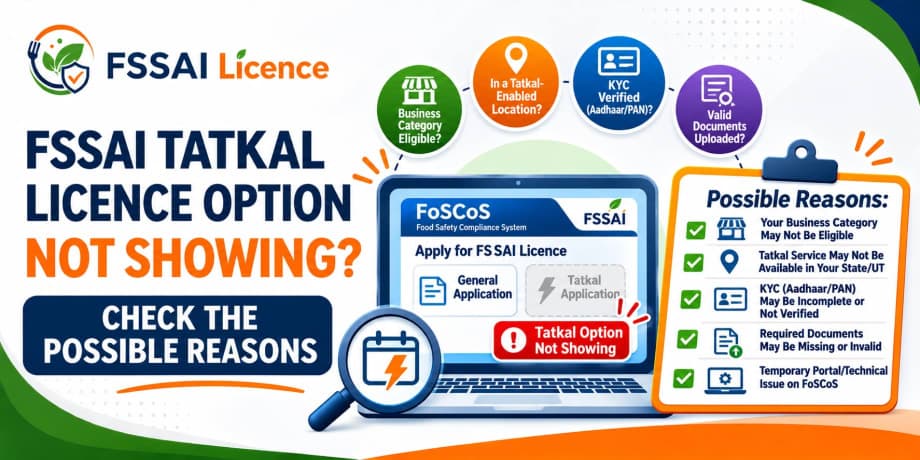
If the FSSAI Tatkal licence option is not showing, first establish whether the instant route is available for your proposed application or whether FoSCoS has encountered a technical or verification problem. A missing option does not by itself mean that you cannot apply for an ordinary FSSAI licence or registration.
Start with the business activity, food products, premises and applicant details you intend to declare. Then use the official Food Safety Compliance System, or FoSCoS, to establish which route is offered for that application. The information below separates facts you can prepare in advance from decisions made during filing and actions after submission.
1. FSSAI Tatkal licence option not showing: what should you check first?
1.1 Identify the stage where the route disappears
“Not showing” can describe several different situations. You may never see an instant option while setting up an application; you may see it initially but lose access after making a selection; or you may reach an instant application and then receive an error. Each observation points to a different question.
Record the stage reached, the selections made immediately beforehand and the exact message, if one appears. If there is no message, note that too. A support request saying only “Tatkal is not available” gives the person investigating it much less to work with than a description of the last screen and the result.
Also distinguish a missing option from an application that has already been submitted but is awaiting an outcome. Once there is an application reference, use that reference to follow the existing application rather than assuming that another attempt is needed.
1.2 Read the result carefully
An unavailable instant route may reflect a scheme condition, a selection made for the application or a temporary service problem. The supplied evidence does not establish a complete, current list of causes, so an absent button should not be treated as proof of any one of them.
For a reader searching for a food licence, the underlying objective is to obtain the correct registration or licence for the business. Tatkal describes a possible issuance route; the business still needs the appropriate authorisation for its actual activity. An ordinary application remains the relevant alternative to consider when instant issuance cannot be used.
2. FSSAI Tatkal licence eligibility: which conditions matter?
The FSSAI Tatkal application eligibility criteria are not established by a business name alone. Availability depends on the scheme rules applicable to the application and on the information entered in FoSCoS. The supplied material points to restrictions for selected businesses, but does not independently establish the current complete list of eligible categories, states or exclusions.
Activity: Identify what the business actually does, such as preparing, manufacturing, trading, importing or exporting food.
Products: Identify the food products involved rather than relying only on a broad business description.
Premises: Identify the location for which the application is being made and the activity carried out there.
Applicant: Identify the person or entity that will hold the registration or licence.
Existing authorisation: Establish whether an authorisation already relates to the premises and activity.
Applicable scheme: Review the current FoSCoS guidance for the instant route before treating it as available.
2.1 Business activity and product scope
A restaurant, a packaged-food trader and a manufacturer carry out different operations even when they sell some of the same foods. Within one business, preparation, storage and trading may also need to be described accurately. For the eligibility decision, the relevant question is which activities and products the application actually covers.
Do not choose a narrower description merely to make an instant option appear. If the correct description does not qualify for the route, a faster application based on an incomplete description is a poor substitute for the right authorisation.
2.2 Location, application history and verification
Searches for FSSAI Tatkal licence eligible states and business categories often produce older announcements. FSSAI has issued an order concerning extension of the instant provision, but the supplied link has not been independently reviewed here. It is therefore not a reliable basis in this guide for naming a current state list or claiming that every location is covered.
Similarly, the existence or history of an authorisation and the ability to complete digital verification may be relevant under the applicable scheme. The available evidence does not establish the current exclusions or make PAN, GST and Aadhaar verification universal requirements for every applicant. Use the current official scheme instructions and the prompts for your application to establish which conditions apply.
3. Documents and information to prepare
There is no single document list in the supplied evidence that can safely be described as the complete FSSAI Tatkal licence documents required for every business. The exact list depends on the applicant, activity and application route. Assemble the information below so that you can respond to the applicable FoSCoS checklist rather than upload every document indiscriminately.
3.1 Identity and business information
Applicant identity information: Identifies the person or entity applying. Keep the name and identifying details in the form in which they appear on the relevant official record.
Business constitution records, where applicable: Help establish the entity applying and the person authorised to act for it. A company and an individual proprietor will not necessarily have the same records.
PAN details, if requested: Provide an income-tax identifier for the relevant applicant. The Income Tax Department’s e-filing portal is the official reference point for its services.
GST details, if applicable and requested: Identify the relevant GST registration. The GST Portal is the official reference point for GST services; possession of a GST number should not be assumed for every food business.
Aadhaar details, if the applicable route requests them: May be used in an identity-verification step. Follow the specific prompt rather than assuming that the same verification applies to every applicant.
3.2 Premises and operational information
Premises details: Identify the place covered by the application. Keep the complete address and the applicable evidence of the business’s connection to the premises available.
Activity and product details: Describe what happens at the premises and the foods involved. Prepare a clear description even where the portal presents standard categories.
Operational records: Some licence applications may call for information or records related to the operation. Use the checklist associated with the selected application to determine what is needed.
Contact details: Provide an accessible mobile number and email address for account access and application communications.
Upload copies: Keep legible electronic copies of records that the portal asks you to submit. Follow the file format and size instructions displayed for each upload.
Separate a document you have available from a document the application actually requires. For example, keeping business records ready can save time, but it does not establish that every record must be uploaded. The live application checklist is the relevant procedural reference for that submission.
4. How to apply on FoSCoS
4.1 Preparation and application
Section 31 of the Food Safety and Standards Act, 2006 provides the statutory framework for licensing and registration of food businesses. FoSCoS is FSSAI’s online system for these applications. Form A is associated with registration and Form B with licensing under the licensing and registration framework; the appropriate application depends on the business.
Define the application: Decide which premises and food activities the application should cover. Use the appropriate registration or licence route for the actual business.
Open FoSCoS: Access the official Food Safety Compliance System and use the account and application options available to the applicant.
Enter the application details: Complete the relevant selections and fields. Where an instant route is offered, read its conditions and declarations before choosing it.
Complete the applicable requirements: Provide the information, uploads and verification requested for that application. Review the entries and declarations before submission.
Pay and submit: Review the amount displayed, complete the payment through the official process and retain the acknowledgement and payment record.
Monitor the application: Use the application reference to view its status and respond to any communication. When a certificate is issued, retain and review it.
4.2 Submission and follow-up
If FoSCoS does not offer the instant route, do not alter the business description just to obtain it. Assess the ordinary application for the same genuine activity. The relevant application may still require scrutiny or further information; a different route does not remove the need for accurate declarations.
Before a paid submission, it is sensible to identify who controls the FoSCoS account and who will receive communications. If an adviser assists, agree who will monitor the application and pass on any query. The food business operator should retain access to its application reference, payment evidence and final certificate.
A saved draft, payment record, acknowledgement and issued certificate are different records. A draft shows work in progress; an acknowledgement identifies a submitted application. Neither should be treated as the issued licence or registration certificate.
5. Government fees and assistance costs
5.1 Read the payment breakdown
The supplied evidence does not include an independently verified current government fee schedule or establish whether a distinct Tatkal charge applies. The amount should therefore be taken from the applicable official fee information and the payment screen for your application, not from an old advertisement or an assumed flat rate.
Cost component | What it represents | How to assess it |
|---|---|---|
Government application fee | The official charge applicable to the selected application | Read the FoSCoS payment details and retain the official receipt. |
Professional assistance fee | An optional provider’s charge for preparation, filing or follow-up | Ask for a written scope and price separate from the government amount. |
Other transaction costs | Any payment-related or other charge actually disclosed for the transaction | Review the payment breakdown and provider quote before paying. |
5.2 Compare quotes on the same basis
A useful total-cost calculation is: applicable government fee plus the agreed assistance fee plus any other disclosed transaction costs. Ask whether the quote includes responding to a departmental query and whether later work is billed separately. A low initial service quote may exclude follow-up, while an inclusive quote may cover more work.
Do not confuse a provider’s invoice with the government receipt. Both can be useful records, but they establish different payments. If someone pays on your behalf, obtain the official payment evidence and the application reference as well as the provider’s invoice.
6. How long can the application take?
6.1 Separate the milestones
Measure the wait from the event that matters. Preparing an application, submitting it, completing payment and receiving a certificate are separate milestones. A provider’s estimate for preparing the form is not necessarily an estimate for the authority to issue the certificate.
“Instant” describes a route intended for eligible applications; it should not be read as a guaranteed end-to-end time for every applicant. The supplied evidence does not independently verify a current issue-time benchmark for that route or current statutory processing periods for ordinary applications, so this guide does not state a numerical deadline.
6.2 Factors that change the wait
The route available, the completeness of the submission, verification results, any clarification sought and portal availability can affect progress. Ordinary applications may also involve procedural steps that are not the same as those in an instant application. The status shown for your application is more useful than a general promise about how quickly someone else received a certificate.
If the business has a planned opening date, allow time for preparation and any follow-up rather than scheduling operations around an assumed immediate issue. Keep an internal record of the submission date, reference and communications so that a delay can be described precisely if support is needed.
7. Normal versus Tatkal: which route should you use?
Decision point | Instant or Tatkal route | Ordinary route |
|---|---|---|
Availability | Use only when offered and applicable to the genuine application. | Consider when it is the appropriate route for the business and instant issuance is unavailable. |
Application basis | Requires truthful information and compliance with applicable scheme conditions. | Requires truthful information and compliance with the applicable registration or licence procedure. |
Time expectation | Do not assume that preparation, verification and certificate availability all happen immediately. | Allow for the applicable review and any follow-up. |
Decision after an error | Investigate the actual error before repeating the attempt. | Assess this route without changing the business facts to fit a preferred option. |
For example, an importer and a small food stall may both want quick authorisation, but speed does not establish that their applications belong in the same category. The correct route follows the business’s circumstances. A service provider can assist with the choice, but should explain the basis for it rather than promise access to Tatkal.
8. Common errors and how to respond
8.1 Selection and identity problems
The selected activity does not describe the operation: An incomplete or incorrect selection can make the application unsuitable and may affect the route offered. Correct the description to reflect the business; do not replace it with an unrelated activity to obtain a faster route.
Applicant details differ across records: A difference in name or identifier can disrupt a verification step where that verification applies. Compare the entered details with the relevant record, identify which entry is incorrect and correct it through the appropriate process.
The wrong person or entity is entered: A proprietor, company and authorised representative are not interchangeable. Establish who the applicant is and whose details the field requests before changing an entry.
A declaration cannot be made truthfully: Stop at that declaration and assess the ordinary route or the appropriate correction. Do not submit a declaration merely because the system presents it as a prerequisite.
8.2 Technical and payment problems
The page fails or does not load: Note the time, page and action taken. Retry without changing substantive business facts; if the problem persists, use the official support channel with a precise description.
Verification is requested but does not complete: Preserve the error message and establish which verification failed. A PAN, GST or Aadhaar error should be investigated against the relevant official record or service, not treated as proof that every Tatkal applicant needs all three.
Money is debited but the application status is unclear: Keep the transaction reference and review the application and payment status before paying again. Seek support with both references if the result remains unresolved.
A query or rejection is received: Read the stated reason and the available response or correction option. Address the actual point raised rather than uploading unrelated records or starting a duplicate application.
Do not share passwords or one-time verification codes as a substitute for understanding what is being submitted. If another person assists, review the application and declarations and retain control of the records needed to follow it.
9. After the certificate is issued
Review the issued certificate against the business name, premises and authorised activity. Keep an accessible copy with the business records and make it available as required by the applicable conditions. If the certificate does not reflect the application or the operation, address the discrepancy through the relevant FoSCoS process.
Issuance does not end the food business operator’s responsibilities. Continue to follow the food safety requirements and conditions applicable to the operation, including those relevant to hygiene, handling and the products dealt in. An instant route does not remove those underlying obligations.
Track changes in the business. A move, a change in legal entity or a material change in activities can raise a question about whether the existing authorisation remains appropriate and whether a modification or other application is needed. Assess the change before assuming that the old certificate covers the revised operation.
Keep the certificate, application reference and payment records together, and monitor the validity and renewal requirements stated in the applicable official framework and on the certificate. The supplied material does not establish a current universal validity period for instant authorisations, so do not rely on a duration quoted in an older article.
10. Your next three actions
Define the application: List the premises, applicant, activities and products. If you are unsure which authorisation fits, resolve that classification before selecting a faster route.
Choose the route on the facts: If FoSCoS offers Tatkal and its current conditions fit, prepare that application. If it does not, assess the ordinary route; if a technical error prevents progress, preserve the details for support.
Decide who will file and follow up: Apply yourself if you can manage the information and communications, or obtain assistance with a written scope and separate fee breakdown.
Begin the process online via the official government portal, or engage FSSAI Licence for end-to-end assistance