Licenses
✍️ Akansha • 24 November 2026 • 15 min read
Selected the Wrong Kind of Business in Your FSSAI Application? What Should You Check?
Get Free Consultation
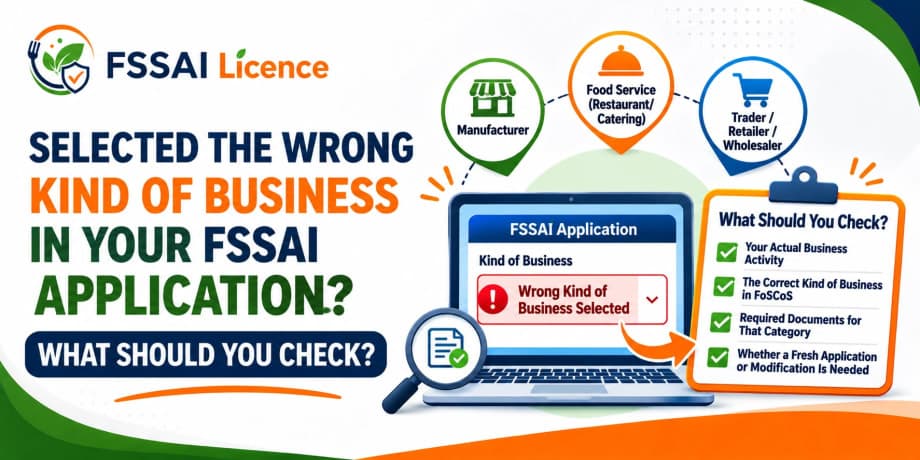
If you selected the wrong kind of business in your FSSAI application, first check whether it is still a draft, has been submitted, or has already resulted in a licence or registration. A draft may be corrected before submission; a submitted application or issued certificate needs the correction route available for its status on the official FoSCoS portal.
Do not assume that choosing a different category on a new screen changes an application already under scrutiny. Work out what the business actually does, identify the particular entry that is wrong, and then use the appropriate route for that record. A food licence correction can also affect the applicable licence tier, supporting evidence and fee.
1. Wrong kind of business in FSSAI application: what should you check first?
“Kind of business”, often shortened to KoB, describes the role a food business performs. It is different from the name of a food product and from the question of whether the operator needs registration, a State licence or a Central licence. Establishing which of these is wrong gives the correction a clear target.
1.1 Identify the activity, product and premises
Write down what happens at the premises in ordinary language before looking for a portal label. A business may prepare food for customers, manufacture or process food, store goods, distribute them, sell them directly, or handle imports or exports. Some operations combine several of these functions, so a trading description alone may not explain the whole activity.
List the activities actually carried out, including any distinct preparation, processing, storage or sale function.
Identify the food products involved and whether they are made on site or obtained from another business.
Separate the premises covered by the application from other outlets, warehouses or offices.
Note the applicable business scale or capacity and any other criteria used by FoSCoS for the activity.
Compare these facts with the selected KoB, product details and type of authorisation.
For example, selling a food product and making that product are different business functions. The product may have been entered correctly while the manufacturing activity was omitted. Equally, a restaurant may have selected an activity that describes production for distribution rather than preparation for its own customers; the right choice depends on what the particular premises does and the options available in FoSCoS.
Multiple activities deserve separate attention. Do not assume that one label automatically covers every function, or that each function necessarily requires a separate application. The permissible combination and the authorisation route depend on the actual activities, premises and portal rules.
1.2 Check the type of authorisation
FSSAI registration, a State licence and a Central licence are different authorisation routes. Eligibility is not determined by turnover alone in every case: the nature and scale of the operation and the applicable licensing criteria also matter. A change in the stated activity can therefore call for a fresh assessment of the tier as well as the KoB.
Section 31 of the Food Safety and Standards Act, 2006 provides the statutory framework for licensing and registration of food businesses. The relevant regulations and current FoSCoS eligibility options determine how that framework applies to a particular operation. The evidence supplied for this guide does not establish the current numerical thresholds, so it would be unsafe to use an older turnover table as the deciding rule.
One final distinction helps before filing: an incorrect business description may be a narrow data-entry problem, whereas an operation that has genuinely expanded may require a broader change to its authorised scope. Record the actual situation as it stands; do not describe a planned activity as already operating merely to make the application fit an option.
2. Which documents should you prepare for a correction?
The required documents depend on the record, the proposed activity and what FoSCoS or the authority asks for. The list below is a preparation guide, not a claim that every item is compulsory for every modification. Keep the existing application and its attachments together so you can identify what is already on record.
2.1 Core records
Application reference or existing certificate: Use the acknowledgement for a submitted application or the current licence or registration certificate for an issued authorisation. It identifies the record to which the correction relates.
Current application details: Keep a copy of the submitted particulars or available application summary. This helps you identify the exact KoB entry and any associated product or capacity information.
Activity description: Prepare a short, factual note of the work carried out at the premises and the change requested. Its purpose is to explain the proposed scope, particularly where a correction is not obvious from a category name.
Operator and premises records: Keep the relevant identity, business constitution and premises records available where the workflow requests them. These help establish whose operation and which location the application concerns.
Authority to act: Where a representative signs or submits on behalf of the operator, keep the applicable authorisation available. This helps distinguish the applicant from a person assisting with the filing.
2.2 Activity-specific evidence
A processing or manufacturing activity can require a different set of details from a straightforward retail activity. Depending on the applicable checklist, relevant material may include a premises layout, machinery details, production capacity or product information. Prepare these only to the extent they describe the operation and are requested for the chosen route.
For trading, storage, importing or exporting, identify the evidence that shows the role the business actually performs. The portal or authority may ask for particulars linked to that activity; a document useful for one category is not automatically a substitute for a document requested for another. If a new activity changes several parts of the application, organise the supporting material by the particular change it explains.
2.3 File format and presentation
Use the file types, size limits and signing method shown in the relevant FoSCoS workflow. Scans should be legible and complete, including both sides where the requested record requires them. Retain the original files and meaningful file names so that a later query can be answered without reconstructing the submission.
A concise change note can be useful even where the portal does not mandate one. Identify the current entry, the proposed entry and the factual reason for the change. Avoid including unrelated personal information; the reviewer needs a clear explanation of the food business, not a general history of the owner.
3. How to request a correction on FoSCoS
Use the official Food Safety Compliance System, or FoSCoS, for the relevant online record. The available controls can differ with the application’s status and the type of change. The sequence below is a decision path, not a promise that every screen will display the same editing option.
Find the record and its status. Sign in to the account associated with the application or authorisation. Locate the draft, submitted application or issued licence or registration and note its reference or certificate number.
Identify the correction route. If the application is still a draft, use the available draft controls to correct the relevant entry before submission. If it has been submitted, inspect the status and any communication or response option associated with that application.
For an issued authorisation, look for the applicable modification service. Select the existing record and the change that corresponds to the actual activity, if that option is available. A request to change a licence should not be treated as a new licence application merely because both involve similar business details.
Complete the fields the chosen route opens. Enter the corrected activity and any associated particulars requested by the system. Provide the supporting material required in that workflow and review the declaration before proceeding.
Review the resulting summary and payment screen. Compare the proposed scope with the business description you prepared. Check the charge shown, if any, and retain the application summary or acknowledgement after submission.
Monitor the same record. Read any communication from the authority and respond through the available channel. Keep the submission reference until a decision or further instruction is communicated.
3.1 If the application is already submitted
FSSAI application editing after submission should not be assumed to be available simply because a mistake is visible. A submitted application may be under scrutiny, awaiting an applicant response or at another stage. Its status and the options shown for that specific record determine what you can do from the account.
If FoSCoS provides a response or update facility for the record, use it for the correction within the scope permitted by that facility. If no relevant option is available, use the portal’s support or contact route and give the application reference, current status and precise change sought. Ask which route applies before creating a second application, withdrawing anything or paying again.
Describe the change in operational terms when seeking help: “the premises prepares food for direct sale” is more useful than “the category is wrong.” Include the current selection and the proposed activity, but do not send passwords or unnecessary identity information in a support message.
3.2 Form A, Form B and Form C: what are they?
Form A relates to registration applications and Form B to licence applications under the FSSAI licensing framework. Form C is the licence format; it is not the registration certificate. For an FSSAI Form C modification, the operator requests an applicable change to the licence through the available process rather than editing a downloaded certificate.
Whether the required change can be handled in the existing application, requires a modification after issue, or needs another route depends on the record and the change. Keep any response from FoSCoS or the authority with the application records; it gives context if the correction later needs to be explained.
4. Government charges and professional fees
There is no reliable single price for every KoB correction in the material supplied for this guide. The amount can depend on the authorisation and transaction selected. Use the current official fee information and the amount presented for the applicable transaction; do not transfer a fee quoted for a fresh application automatically to a modification.
Cost component | What to look for |
|---|---|
Government charge for the applicable application | The amount shown for the selected registration or licensing transaction, where payable. |
Government charge associated with a modification | Any amount shown for the particular change and record; applicability and amount depend on the current rules and workflow. |
Other official amount, if applicable | Any additional charge identified by the official system for the chosen transaction. Do not assume one applies to every case. |
Professional service fee | A separate private charge for assistance, if you engage a service provider. It is not the government fee. |
Supporting-document costs | Any separate expense you incur to prepare or obtain material relevant to the application. |
Ask a representative for an itemised quote stating which work is included, whether responses to official queries are covered, and which payments are made to the government. Keep the official payment receipt separate from the service invoice. If the proposed route changes, ask for an updated quote before authorising further work.
A useful budget is: government amount shown for the applicable transaction, plus any optional professional fee, plus the cost of preparing required evidence. A pending application, an issued licence and a registration may not follow the same fee treatment. A service provider’s estimate cannot by itself establish what FoSCoS will charge.
5. How long can the correction take?
The supplied evidence does not establish a current processing benchmark for every FSSAI KoB modification or correction to a pending application. It would be misleading to promise a fixed number of days. Plan around the milestones instead, and allow for the possibility that the authority needs clarification.
Preparation: Time depends on how readily you can establish the correct activity and assemble the material requested for it.
Submission: A completed online submission produces a record to track; saving a draft or beginning a payment is not the same milestone.
Scrutiny: The application may await review or an action by the authority. The time at this stage can vary by transaction and case.
Response to a query: A request for information introduces an additional exchange. Read the communication for any deadline that applies to your particular case.
Decision and document availability: A decision and the availability of an updated document are milestones to check in the record, rather than dates to assume in advance.
Keep a simple status log with the reference, submission date, last communication and next action. That is especially useful when someone else files for you: agree who will monitor the account and pass on notices. For a time-sensitive business plan, the log also shows whether the delay is in preparation, an applicant response or official review.
A submitted request does not itself establish that the changed activity has been approved. Use the current decision and certificate, together with any communication from the authority, to identify the status of the request.
6. Mistakes that can derail a category correction
Correcting the wrong field: Changing the KoB when only a product entry is wrong can leave the original problem unresolved. Identify the field that misstates the operation and request the change that addresses it.
Using an attractive label instead of an accurate one: A label chosen because it appears simpler or cheaper may produce an application that does not describe the work performed. Reassess the operation rather than relying on the familiar business name.
Overlooking an additional activity: A business that begins processing goods as well as selling them can end up with an incomplete scope if it examines only its original activity. Review the full operation at the affected premises.
Mixing locations: Details from a warehouse, outlet and office can be combined accidentally in one description. Map each activity to the location where it happens before deciding which record needs attention.
Assuming the licence tier is unchanged: An activity correction can affect the applicable authorisation assessment. If the system or authority indicates a different route, address that issue rather than submitting a narrow correction that leaves the tier unresolved.
Creating a duplicate application prematurely: A second filing may add cost and make it harder to track which record is being considered. Where the first application is pending and no edit control is visible, seek instructions for that reference before starting again.
Ignoring a returned query: A correction may remain unresolved if the applicant does not address the authority’s request. Read the full query, answer the specific issue and keep the response acknowledgement.
A rejection or return should be read on its own terms. The reason recorded by the authority determines whether the next action is to supply information, correct a field or pursue another route. Paying for a fresh submission without understanding that reason can repeat the same error.
7. What to do after the decision
When a revised licence or registration becomes available, compare it with the decision and the change requested. Check the operator, premises and activity details shown on the document and any relevant conditions. If the outcome does not reflect the decision or leaves the requested activity unclear, raise the discrepancy using the relevant portal communication or support channel.
Keep the earlier certificate, modification application, payment acknowledgement, authority communications and revised document together. This record explains what changed and when, and helps the operator’s staff or adviser identify the current authorisation. Do not alter a downloaded certificate yourself to make it appear consistent with the application.
Apply the conditions attached to the authorisation and the food-safety requirements relevant to the actual business. A change in activity may also change the information the operator needs to maintain or the obligations that apply. Review those requirements against the approved scope rather than assuming the previous operating checklist is still complete.
Give the person responsible for compliance access to the current certificate and the decision record. If the business uses printed or digital copies for its operations, replace outdated copies with the current document where appropriate. Keep account contact details usable so that future communications reach someone who can act.
Further changes to the operation should be assessed separately. Adding another product is not automatically the same as adding another business function, and moving an activity to a different premises raises a different question from correcting a description at the existing one. Record the change when it is planned so its authorisation implications can be assessed before implementation.
8. Choose your next action
Identify the record: Find the draft, pending application or issued authorisation and write down its reference and present status.
Define the change: State what happens at the premises, which entry is inaccurate and whether the issue also affects the product details or authorisation tier.
Choose the route and support: Use the available FoSCoS workflow if the correction is clear. Consider assistance where several activities, a disputed tier or an unavailable editing route make the next step uncertain; obtain an itemised service quote first.
For an uncomplicated draft, self-filing may be sufficient. For a pending record with no correction control, the immediate task is to obtain instructions for that application. For an issued authorisation, assess the available modification route and wait for the outcome before treating the proposed scope as approved.
Begin the process online via the official government portal, or engage FSSAI Licence for end-to-end assistance